Escrita

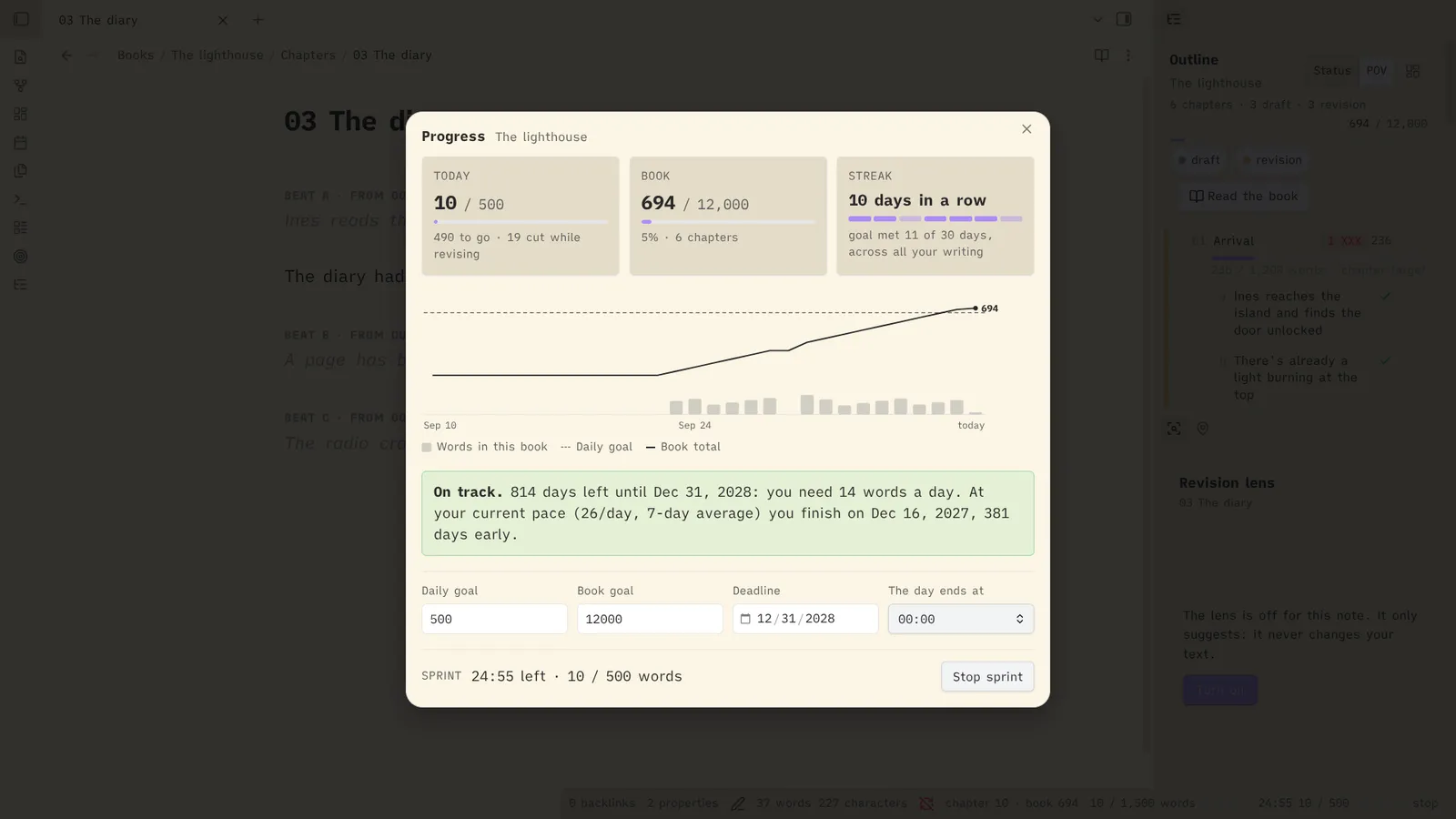
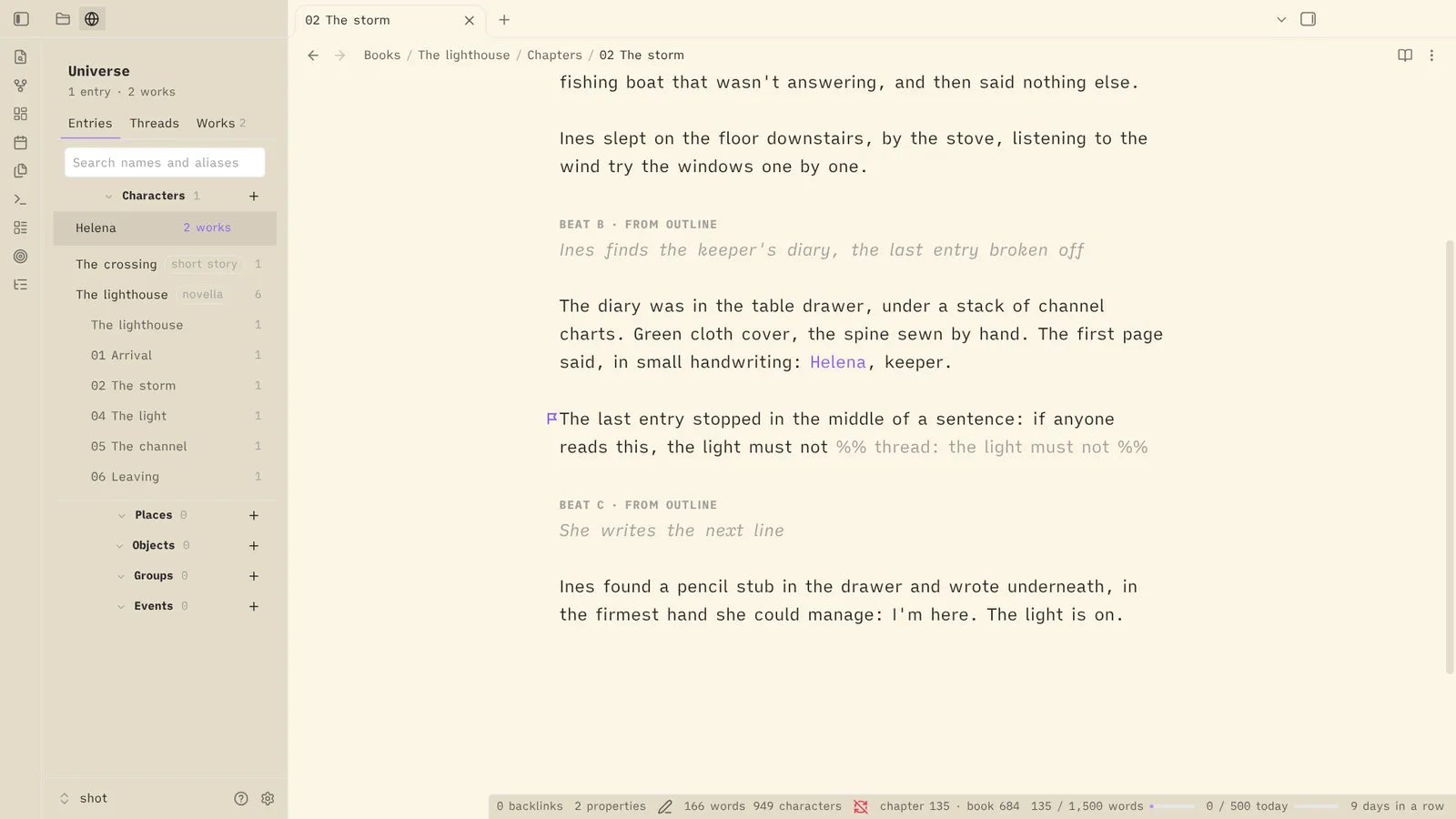
An Obsidian plugin for fiction writers: an outline that lives inside your chapters, word goals and sprints, placeholders, a safe place for the passages you cut, a revision lens, manuscript export, and a shared universe of characters and places.
Your books stay plain Markdown. Everything Escrita adds to a chapter is an Obsidian comment (%% … %%), so it is hidden in Reading view and by most publishing tools. Escrita never contacts a server or a model, and it never changes your prose unless you click.
The recordings below are the real Obsidian app, driven by a script, on an example book: The lighthouse.
Set up a vault
Set up a writing vault shows everything before it creates anything: pick what you write and a starting point (Essentials, Writer or Everything), review every note, folder and setting it will create, then create them. It never overwrites or moves a note. It ends on the home note.
Outline and beats
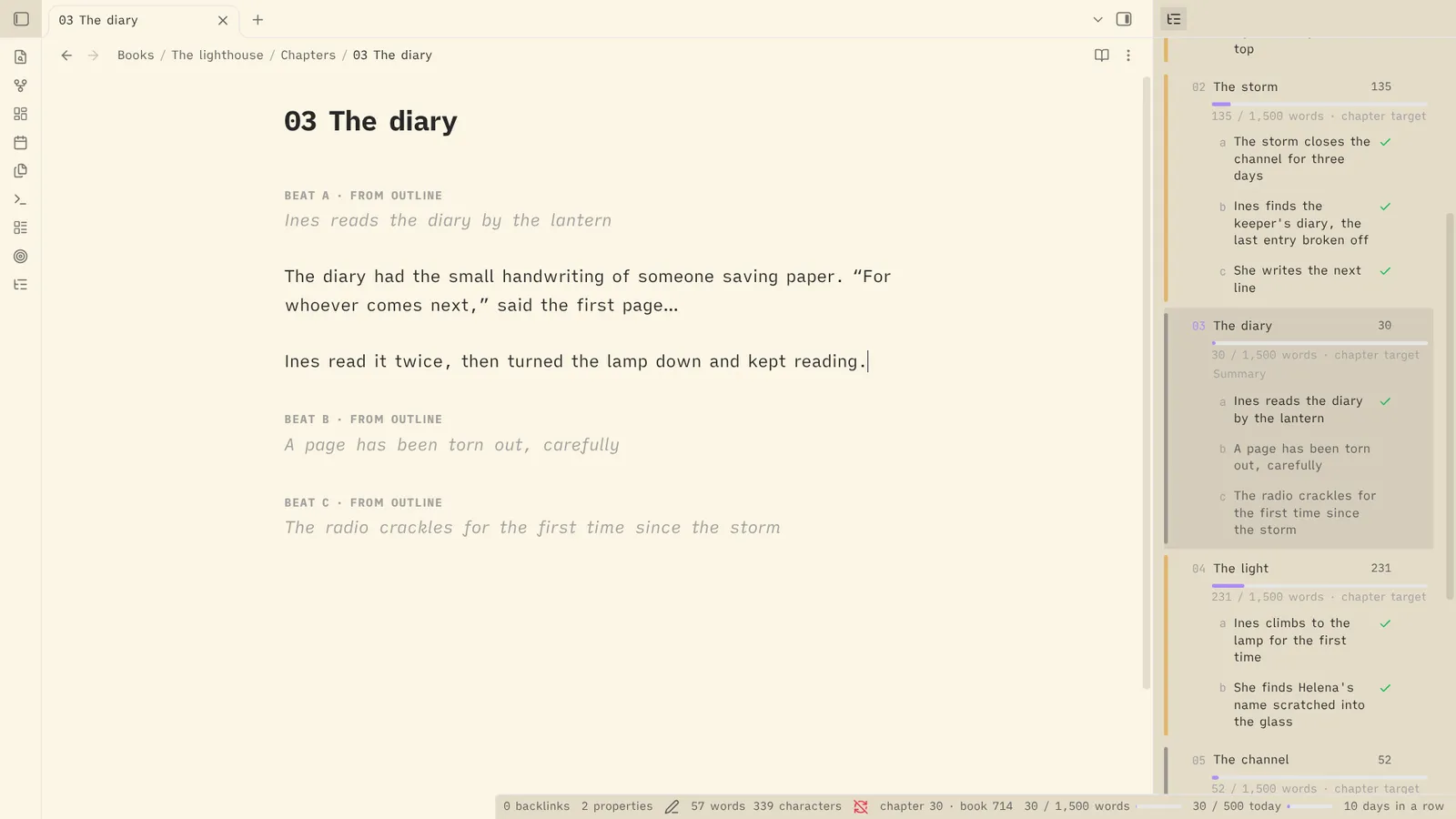
A chapter's planned beats show as faint labels in the editor. Typing under one ticks it off, with the quotes curled and the ellipsis set as you type, and a new beat is added from the outline.
Revision
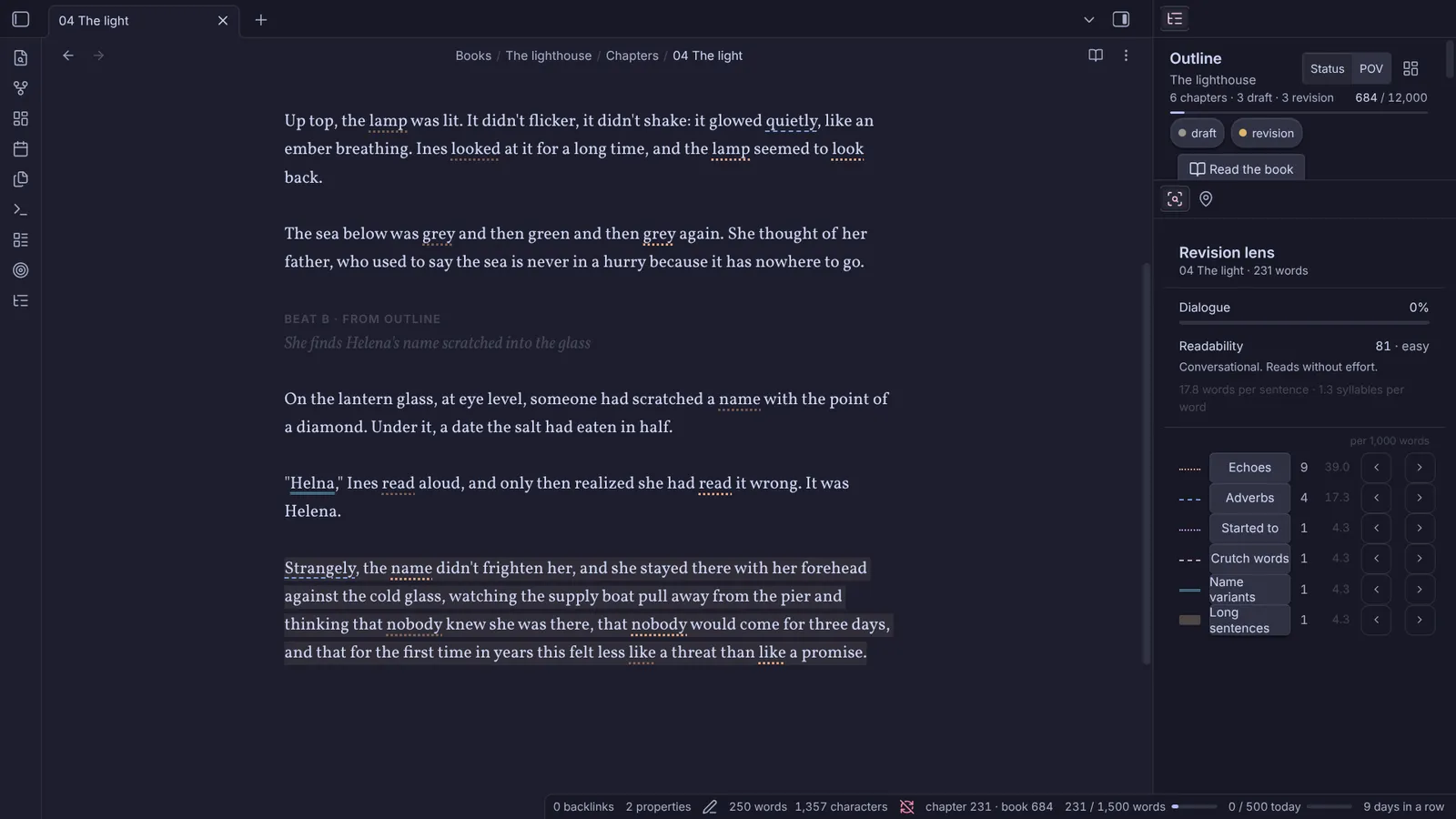
The revision lens underlines echoes and a misspelled name, a paragraph goes to the darlings, and the chapter is compared word by word with its first draft. The lens only suggests: it never changes your text.
Publish and export
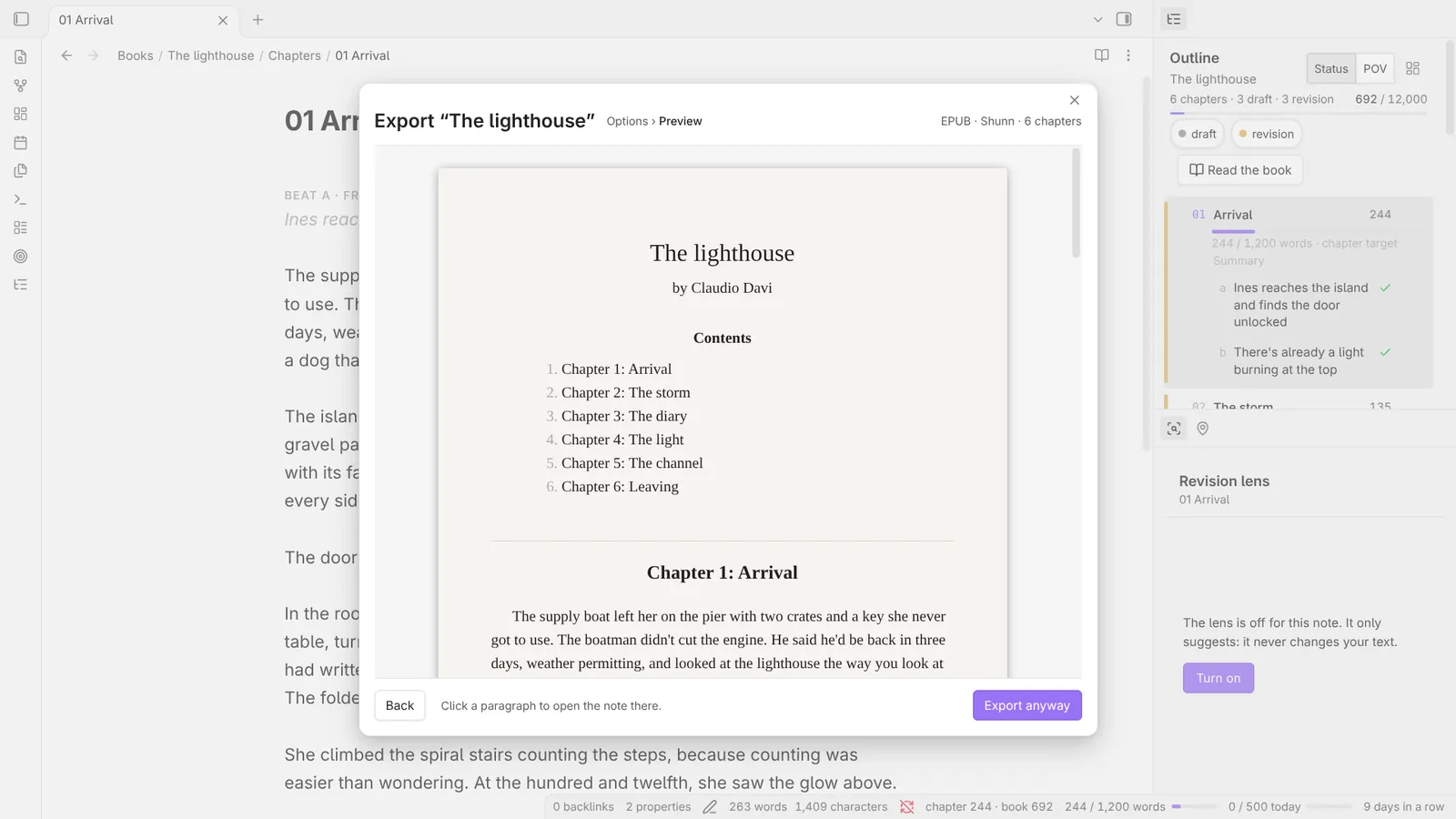
"Publish next chapter" stops on a placeholder, the line is written and the chapter published, then the book is exported as an EPUB with a preview. Markdown and DOCX (Shunn and pt-BR templates) are there too.
Screenshots
The full video
The launch video is in Portuguese, with no sound: the same features, in eight scenes, in a little over three minutes. Each scene is also on the Portuguese page.
Install
It needs Obsidian 1.8.7 or later. It works on desktop and on phones.
- From the community plugins: open Settings → Community plugins → Browse, search for "Escrita", then install and enable it.
- With BRAT: install the BRAT plugin, choose "Add a beta plugin", and enter
ClaudioDavi/escrita. - Manually: download
main.js,manifest.jsonandstyles.cssfrom the latest release, put them in<your vault>/.obsidian/plugins/escrita/, reload Obsidian, and enable Escrita.
Then run Set up a writing vault from the command palette. Step by step: Getting started.
No network access, no AI, no telemetry. Your writing stays in your vault. Open source under the MIT License, inspired by NEO by Hugh Howey.